
Clevetura
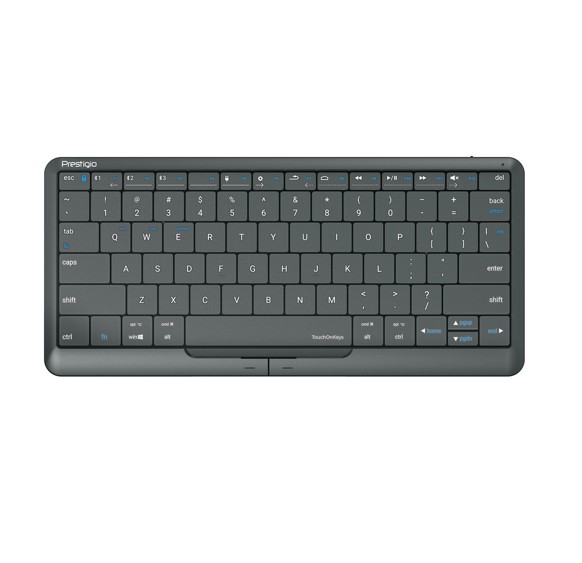
Clevetura Prestigio PSKEY2, Click&Touch 2, Huge Invisible Touchpad On Keys, Familiar Gestures, Adjustable the Touchpad Area, Press to Type
SKU: LEADER-KBC-PSKEY2 | EAN: KBC-PSKEY2
$129.49
Inc. GST ($117.72 ex. GST)
Out of Stock
Clevetura Prestigio PSKEY2, Click&Touch 2, Huge Invisible Touchpad On Keys, Familiar Gestures, Adjustable the Touchpad Area, Press to Type
Free QLD shipping over $200
Secure checkout
12 Months warranty
Genuine Australian stock
KEY FEATURES
• Familiar gestures
You can control the cursor, scroll, click and zoom just like you would on a regular touchpad, or by
physically clicking the left and right buttons.
• Adjust the touchpad area
Have the touchpad on the right or left hand side of the keyboard – choose whatever is most convenient
for you.
• Swipe
Change the volume and rewind videos by sliding left and right on the top row of the keyboard.
• Press to type
The keyboard allows for an easy typing experience. The keys feel similar to that of a laptop.
• Application
Get better user experience with the Clevetura app. Customize your keyboard to suit your needs.
• Smart switch
Switching between keyboard and touchpad modes is automatic. Click&Touch 2 easily recognises which
mode it being used.
• Familiar gestures
You can control the cursor, scroll, click and zoom just like you would on a regular touchpad, or by
physically clicking the left and right buttons.
• Adjust the touchpad area
Have the touchpad on the right or left hand side of the keyboard – choose whatever is most convenient
for you.
• Swipe
Change the volume and rewind videos by sliding left and right on the top row of the keyboard.
• Press to type
The keyboard allows for an easy typing experience. The keys feel similar to that of a laptop.
• Application
Get better user experience with the Clevetura app. Customize your keyboard to suit your needs.
• Smart switch
Switching between keyboard and touchpad modes is automatic. Click&Touch 2 easily recognises which
mode it being used.
Shipping Information
| QLD | From $9.95 | Free over $200 | 1-3 business days |
| NSW / VIC / ACT | From $12.95 | Free over $300 | 3-5 business days |
| SA / TAS | From $14.95 | Free over $300 | 4-6 business days |
| WA / NT | From $19.95 | Free over $500 | 5-8 business days |
Product weight: 0.50 kg
Related Products

SAVE 13%
Logitech
Logitech ZONE 300 Wireless Headset Midnight Black 1-Year Limited Hardware Warranty
In Stock
$173.25
$199.00
Inc. GST

SAVE 33%
HP
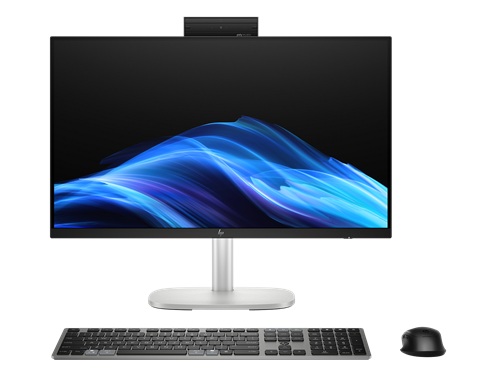
HP Hardware Hash ID CSV report - MOQ 5 SN and End user details required
In Stock
$26.25
$39.00
Inc. GST

SAVE 16%
LOW STOCK
Jabra
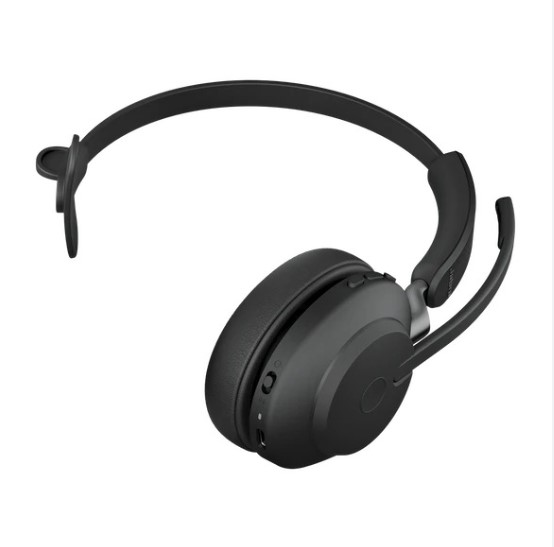
Jabra Evolve2 65 MS Mono Black Bluetooth Headset, Link 380 USB-A Passive Noise-cancelling, 2ys Warranty, 3-Microphone Call Technology, Up to 37 Hours
Only 2 left
$488.25
$579.70
Inc. GST